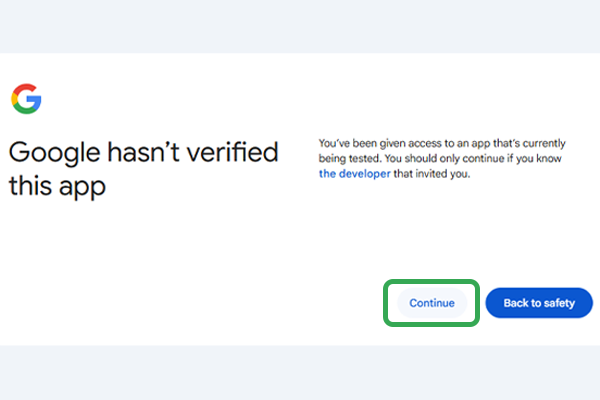
Because GeeBuddy is new, Google will show a warning screen. This is normal for all new apps - GeeBuddy is safe. You'll see a screen like the one above. You will click Continue to proceed.
Allow GeeBuddy to create your robot
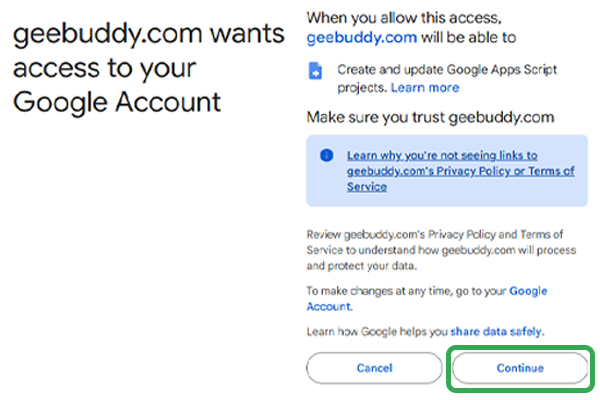
Google will confirm that GeeBuddy wants to create a script in your account. This is how your private robot gets installed - it lives in your Google Drive, owned by you. You will click Continue to allow it.
✓
Your robot has been created!
One more step: your robot needs permission to read your email. You grant this directly in your own Google account.
Your robot's code
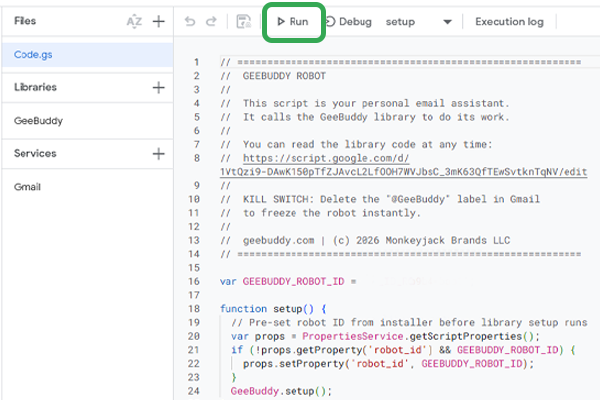
You'll see a page with code on it - this is your robot! You will find the run ▶ button and click it.
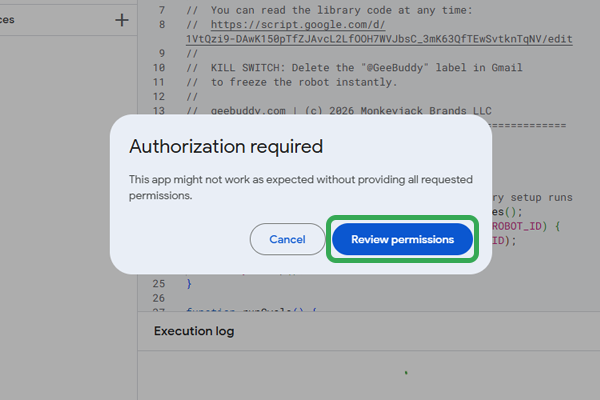
Authorization required
After clicking the run button, a popup will appear saying "Authorization required." You will click Review permissions to continue.
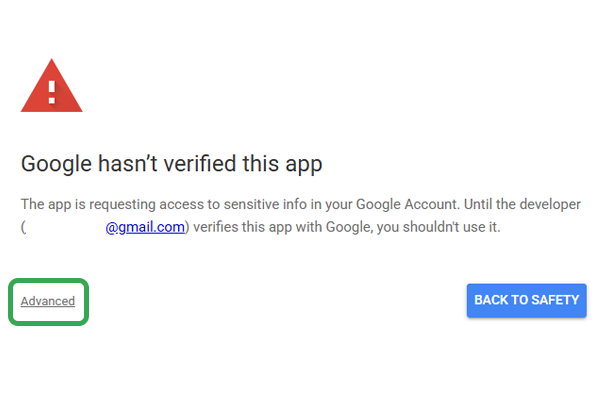
Your robot app is not verified
Since every GeeBuddy robot belongs to the user, your GeeBuddy is brand new and has not been verified by Google. This screen may look scary but it is your robot that you are verifying. You will click on the word Advanced in the lower left.
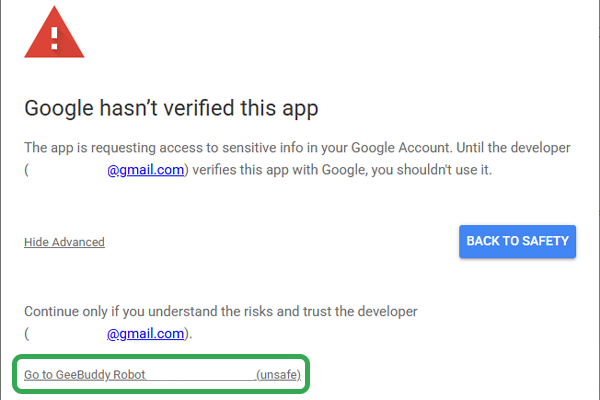
Verifying your robot
Now you will click on the "Go to GeeBuddy Robot (unsafe)" link at the bottom of the screen. Despite the word "unsafe" this is completely normal for new apps.
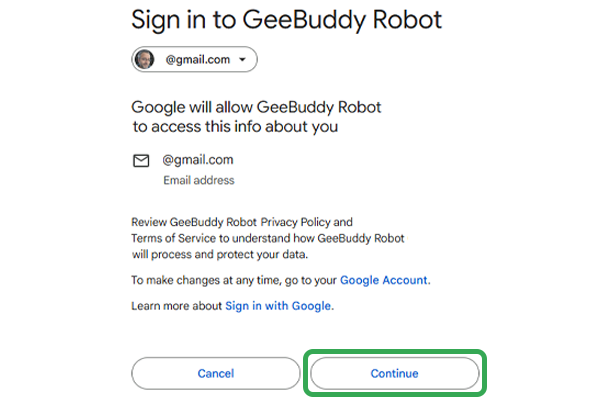
Confirm your Gmail address
You'll see a screen confirming your email address. You will click Continue.
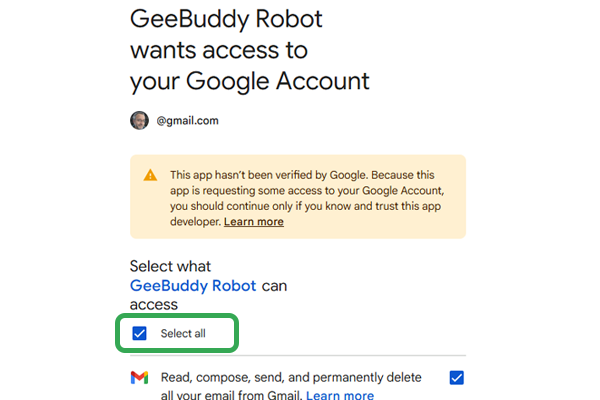
Select what GeeBuddy Robot can access
You may need to scroll down, but you will click the box that says "Select all" to allow your GeeBuddy robot to work inside your Gmail.
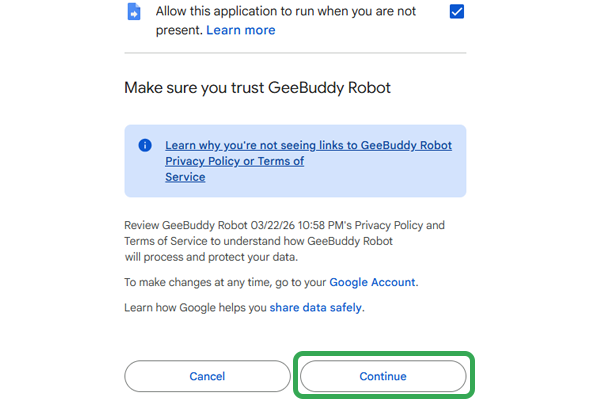
Confirm permissions
You will scroll to the bottom of the window and click on Continue.
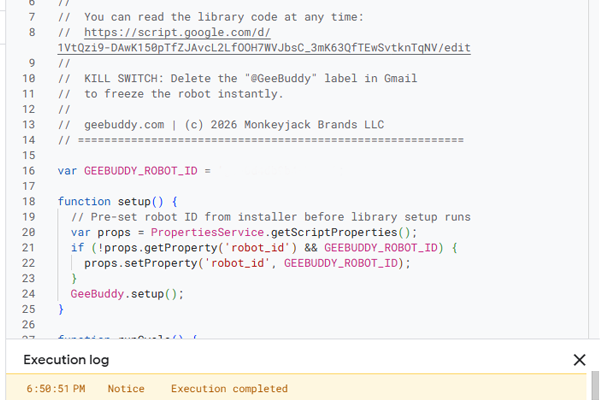
Your GeeBuddy robot is alive
You will have activated your GeeBuddy robot and will see it start to set itself up. You will then close this tab.